> ## Documentation Index
> Fetch the complete documentation index at: https://docs.insforge.dev/llms.txt
> Use this file to discover all available pages before exploring further.
# Database
> Use InsForge to manage your data.
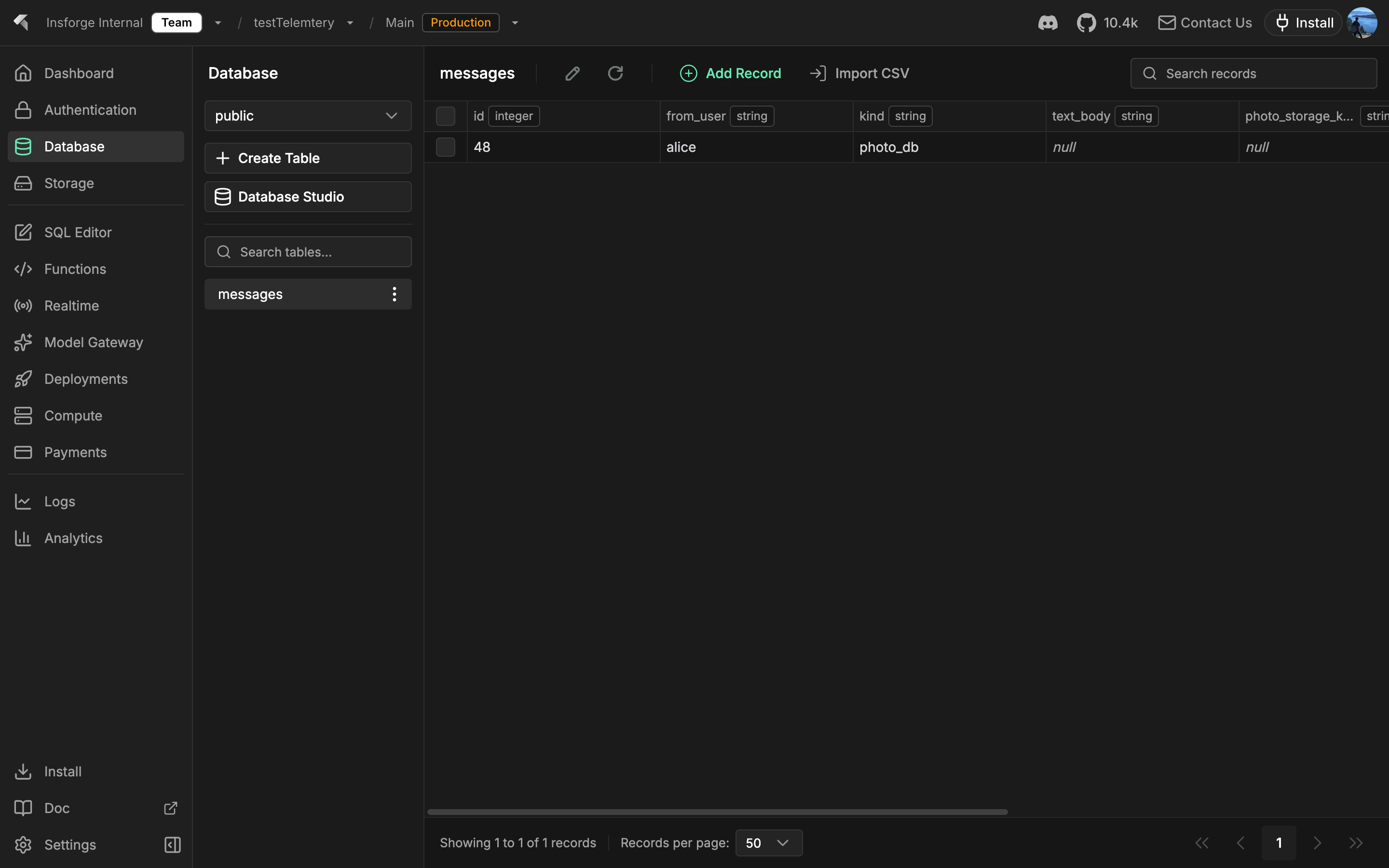
Every InsForge project comes with a full [Postgres](https://www.postgresql.org/) database. Every table is automatically a typed REST and SDK endpoint. Auth tokens scope every read and write through row-level security. The same Postgres handles relational queries, semantic search via pgvector, and realtime change feeds.
 **Looking for file storage?** Use [Storage](/core-concepts/storage/overview) for images, PDFs, and other binary content. The database stores rows; storage stores objects.
```mermaid theme={null}
graph TB
Client[Client Application] --> SDK[InsForge SDK]
SDK --> API[InsForge API]
API --> PostgREST[PostgREST v12.2]
PostgREST --> PG[(PostgreSQL 15)]
API --> PG
PG --> RLS[Row Level Security]
PG --> Triggers[Database Triggers]
PG --> Functions[Stored Functions]
PG --> Schemas[Multiple Schemas]
style Client fill:#1e293b,stroke:#475569,color:#e2e8f0
style SDK fill:#1e40af,stroke:#3b82f6,color:#dbeafe
style API fill:#166534,stroke:#22c55e,color:#dcfce7
style PostgREST fill:#c2410c,stroke:#fb923c,color:#fed7aa
style PG fill:#0e7490,stroke:#06b6d4,color:#cffafe
style RLS fill:#4c1d95,stroke:#8b5cf6,color:#ede9fe
style Triggers fill:#4c1d95,stroke:#8b5cf6,color:#ede9fe
style Functions fill:#4c1d95,stroke:#8b5cf6,color:#ede9fe
style Schemas fill:#4c1d95,stroke:#8b5cf6,color:#ede9fe
```
## Features
### Tables as APIs
Define a table and you immediately get REST endpoints plus a typed SDK client for it. No code generation step. The auth JWT scopes every query through RLS.
### Migrations
Track and apply SQL changes in order. [Migrations](/core-concepts/database/migrations) ship as plain `.sql` files in your repo, applied with `npx @insforge/cli db migrations up --all` or via the MCP tool.
### Branching
Spin up an isolated database branch to test risky schema changes against a copy of production data. See [Branching](/agent-native/branching).
### pgvector
Native vector search for embeddings, with HNSW and IVFFlat indexes. See [pgvector](/core-concepts/database/pgvector).
### Row-level security
Postgres RLS policies enforce access at the row level. Policies read the auth JWT, so the same rule applies to REST queries, SDK calls, realtime subscriptions, and storage requests.
## Concepts
Apply SQL changes in order, safely.
Isolated databases for preview and risky changes.
Vector search for embeddings.
## Build with it
Typed queries, inserts, and updates from Node, browser, and edge.
Native Swift database client for iOS and macOS.
Coroutines-first database client for Android and JVM.
Plain HTTP database endpoints, callable from any language.
## Next steps
* Set up the [CLI](/quickstart) to link your project (the recommended path).
* Browse the [TypeScript SDK reference](/sdks/typescript/database) for typed queries.
**Looking for file storage?** Use [Storage](/core-concepts/storage/overview) for images, PDFs, and other binary content. The database stores rows; storage stores objects.
```mermaid theme={null}
graph TB
Client[Client Application] --> SDK[InsForge SDK]
SDK --> API[InsForge API]
API --> PostgREST[PostgREST v12.2]
PostgREST --> PG[(PostgreSQL 15)]
API --> PG
PG --> RLS[Row Level Security]
PG --> Triggers[Database Triggers]
PG --> Functions[Stored Functions]
PG --> Schemas[Multiple Schemas]
style Client fill:#1e293b,stroke:#475569,color:#e2e8f0
style SDK fill:#1e40af,stroke:#3b82f6,color:#dbeafe
style API fill:#166534,stroke:#22c55e,color:#dcfce7
style PostgREST fill:#c2410c,stroke:#fb923c,color:#fed7aa
style PG fill:#0e7490,stroke:#06b6d4,color:#cffafe
style RLS fill:#4c1d95,stroke:#8b5cf6,color:#ede9fe
style Triggers fill:#4c1d95,stroke:#8b5cf6,color:#ede9fe
style Functions fill:#4c1d95,stroke:#8b5cf6,color:#ede9fe
style Schemas fill:#4c1d95,stroke:#8b5cf6,color:#ede9fe
```
## Features
### Tables as APIs
Define a table and you immediately get REST endpoints plus a typed SDK client for it. No code generation step. The auth JWT scopes every query through RLS.
### Migrations
Track and apply SQL changes in order. [Migrations](/core-concepts/database/migrations) ship as plain `.sql` files in your repo, applied with `npx @insforge/cli db migrations up --all` or via the MCP tool.
### Branching
Spin up an isolated database branch to test risky schema changes against a copy of production data. See [Branching](/agent-native/branching).
### pgvector
Native vector search for embeddings, with HNSW and IVFFlat indexes. See [pgvector](/core-concepts/database/pgvector).
### Row-level security
Postgres RLS policies enforce access at the row level. Policies read the auth JWT, so the same rule applies to REST queries, SDK calls, realtime subscriptions, and storage requests.
## Concepts
Apply SQL changes in order, safely.
Isolated databases for preview and risky changes.
Vector search for embeddings.
## Build with it
Typed queries, inserts, and updates from Node, browser, and edge.
Native Swift database client for iOS and macOS.
Coroutines-first database client for Android and JVM.
Plain HTTP database endpoints, callable from any language.
## Next steps
* Set up the [CLI](/quickstart) to link your project (the recommended path).
* Browse the [TypeScript SDK reference](/sdks/typescript/database) for typed queries.