> ## Documentation Index
> Fetch the complete documentation index at: https://docs.insforge.dev/llms.txt
> Use this file to discover all available pages before exploring further.
# Payments
> Choose a provider-specific payments integration for Stripe or Razorpay.
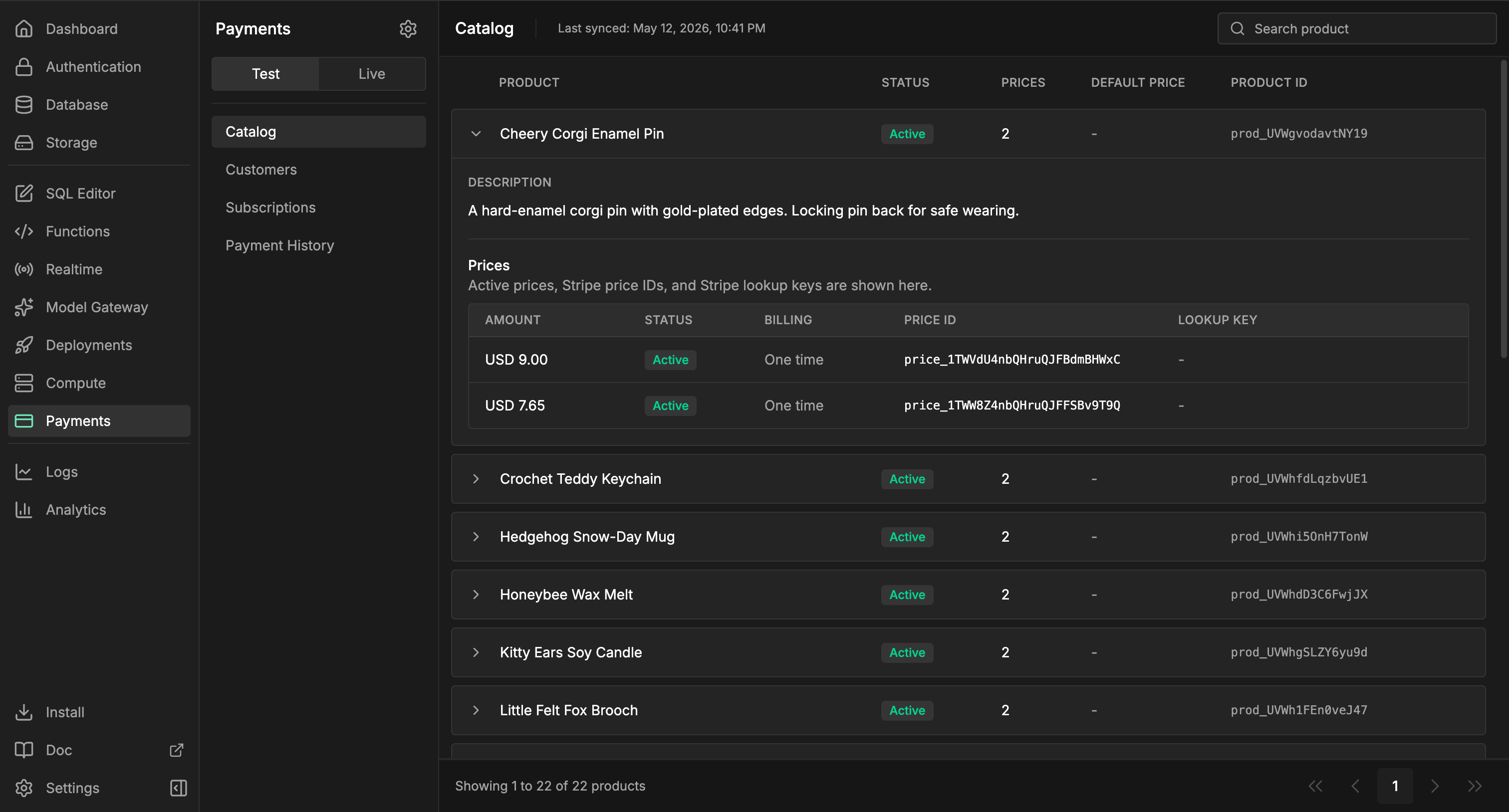
InsForge Payments lets your app collect money with your own Stripe or Razorpay account. The two providers use different payment models, so the docs are split by provider instead of describing one generic payment flow.
 Stripe or Razorpay remains the source of truth for charges, invoices, refunds,
disputes, taxes, and account-level financial operations. InsForge is not a
payment processor or merchant of record, and it does not replace the provider
dashboard.
## Choose a provider
Use Stripe Checkout, Products, Prices, Subscriptions, and Billing Portal.
Use Razorpay Orders, Items, Plans, Subscriptions, and Razorpay Checkout.
## Architecture
Provider-native tables keep provider concepts intact:
| Provider | Runtime tables | Catalog tables | Subscription tables |
| -------- | ------------------------------------------------------------------------------- | ---------------------------------------------------- | --------------------------------------------------------------------- |
| Stripe | `payments.stripe_checkout_sessions`, `payments.stripe_customer_portal_sessions` | `payments.stripe_products`, `payments.stripe_prices` | `payments.stripe_subscriptions`, `payments.stripe_subscription_items` |
| Razorpay | `payments.razorpay_orders` | `payments.razorpay_items`, `payments.razorpay_plans` | `payments.razorpay_subscriptions` |
Shared tables are used only where the durable shape is useful across providers:
| Table | Purpose |
| ------------------------------- | ---------------------------------------------------------------------------------------------- |
| `payments.provider_connections` | Provider key, account, sync, and webhook setup status by `provider` and `environment`. |
| `payments.customer_mappings` | App billing subject to provider customer ID mapping. |
| `payments.customers` | Admin/customer mirror for dashboard visibility. |
| `payments.webhook_events` | Verified provider webhook event ledger. Use this for durable fulfillment triggers. |
| `payments.transactions` | InsForge dashboard/reporting projection for successful, failed, and refunded payment activity. |
`payments.transactions` is not the fulfillment contract. It is a projection built from provider events and sync. For business logic, create app-owned tables such as `public.orders`, `public.credit_ledger`, or `public.team_entitlements`, then populate them from verified rows in `payments.webhook_events`.
## Fulfillment
Do not fulfill from a Stripe success URL or a Razorpay Checkout callback alone. Those are user experience signals. Durable fulfillment should run from verified provider webhook events.
```sql theme={null}
CREATE TRIGGER fulfill_from_payment_webhook
AFTER INSERT OR UPDATE ON payments.webhook_events
FOR EACH ROW
EXECUTE FUNCTION public.fulfill_payment_event();
```
If your app accepts multiple providers, keep the trigger idempotent and branch on `NEW.provider` and `NEW.event_type`. Protect your app-owned fulfillment tables with your own RLS policies.
Webhook events are processed independently and providers give no ordering guarantee across events. Rows derived from an event are committed before that event is marked `processed`, but rows owned by other events — such as `payments.customer_mappings`, which checkout completion creates — may not exist yet when your trigger fires. Resolve billing subjects from the event payload first and treat lookups into other tables as fallbacks. See the provider guides for subscription fulfillment examples.
Older Stripe-only `payments.payment_history` rows are migrated into
`payments.transactions` for dashboard and reporting. Triggers on
`payment_history` are not rewritten automatically. Move fulfillment logic to
`payments.webhook_events`.
## Build with it
Pick the Stripe or Razorpay provider module for app code.
Review provider-specific Payments API routes and webhook routes.
## Next steps
* Read [Stripe Payments](/core-concepts/payments/stripe) if you are using Stripe Checkout or Billing Portal.
* Read [Razorpay Payments](/core-concepts/payments/razorpay) if you are using Razorpay Orders or Subscriptions.
* Configure provider keys in Dashboard -> Payments -> Settings.
* Add app-specific RLS or server-side membership checks for billing subjects.
* Add trigger-backed fulfillment from `payments.webhook_events`.
Stripe or Razorpay remains the source of truth for charges, invoices, refunds,
disputes, taxes, and account-level financial operations. InsForge is not a
payment processor or merchant of record, and it does not replace the provider
dashboard.
## Choose a provider
Use Stripe Checkout, Products, Prices, Subscriptions, and Billing Portal.
Use Razorpay Orders, Items, Plans, Subscriptions, and Razorpay Checkout.
## Architecture
Provider-native tables keep provider concepts intact:
| Provider | Runtime tables | Catalog tables | Subscription tables |
| -------- | ------------------------------------------------------------------------------- | ---------------------------------------------------- | --------------------------------------------------------------------- |
| Stripe | `payments.stripe_checkout_sessions`, `payments.stripe_customer_portal_sessions` | `payments.stripe_products`, `payments.stripe_prices` | `payments.stripe_subscriptions`, `payments.stripe_subscription_items` |
| Razorpay | `payments.razorpay_orders` | `payments.razorpay_items`, `payments.razorpay_plans` | `payments.razorpay_subscriptions` |
Shared tables are used only where the durable shape is useful across providers:
| Table | Purpose |
| ------------------------------- | ---------------------------------------------------------------------------------------------- |
| `payments.provider_connections` | Provider key, account, sync, and webhook setup status by `provider` and `environment`. |
| `payments.customer_mappings` | App billing subject to provider customer ID mapping. |
| `payments.customers` | Admin/customer mirror for dashboard visibility. |
| `payments.webhook_events` | Verified provider webhook event ledger. Use this for durable fulfillment triggers. |
| `payments.transactions` | InsForge dashboard/reporting projection for successful, failed, and refunded payment activity. |
`payments.transactions` is not the fulfillment contract. It is a projection built from provider events and sync. For business logic, create app-owned tables such as `public.orders`, `public.credit_ledger`, or `public.team_entitlements`, then populate them from verified rows in `payments.webhook_events`.
## Fulfillment
Do not fulfill from a Stripe success URL or a Razorpay Checkout callback alone. Those are user experience signals. Durable fulfillment should run from verified provider webhook events.
```sql theme={null}
CREATE TRIGGER fulfill_from_payment_webhook
AFTER INSERT OR UPDATE ON payments.webhook_events
FOR EACH ROW
EXECUTE FUNCTION public.fulfill_payment_event();
```
If your app accepts multiple providers, keep the trigger idempotent and branch on `NEW.provider` and `NEW.event_type`. Protect your app-owned fulfillment tables with your own RLS policies.
Webhook events are processed independently and providers give no ordering guarantee across events. Rows derived from an event are committed before that event is marked `processed`, but rows owned by other events — such as `payments.customer_mappings`, which checkout completion creates — may not exist yet when your trigger fires. Resolve billing subjects from the event payload first and treat lookups into other tables as fallbacks. See the provider guides for subscription fulfillment examples.
Older Stripe-only `payments.payment_history` rows are migrated into
`payments.transactions` for dashboard and reporting. Triggers on
`payment_history` are not rewritten automatically. Move fulfillment logic to
`payments.webhook_events`.
## Build with it
Pick the Stripe or Razorpay provider module for app code.
Review provider-specific Payments API routes and webhook routes.
## Next steps
* Read [Stripe Payments](/core-concepts/payments/stripe) if you are using Stripe Checkout or Billing Portal.
* Read [Razorpay Payments](/core-concepts/payments/razorpay) if you are using Razorpay Orders or Subscriptions.
* Configure provider keys in Dashboard -> Payments -> Settings.
* Add app-specific RLS or server-side membership checks for billing subjects.
* Add trigger-backed fulfillment from `payments.webhook_events`.