> ## Documentation Index
> Fetch the complete documentation index at: https://docs.insforge.dev/llms.txt
> Use this file to discover all available pages before exploring further.
# 資料庫
> 使用 InsForge 管理您的資料。
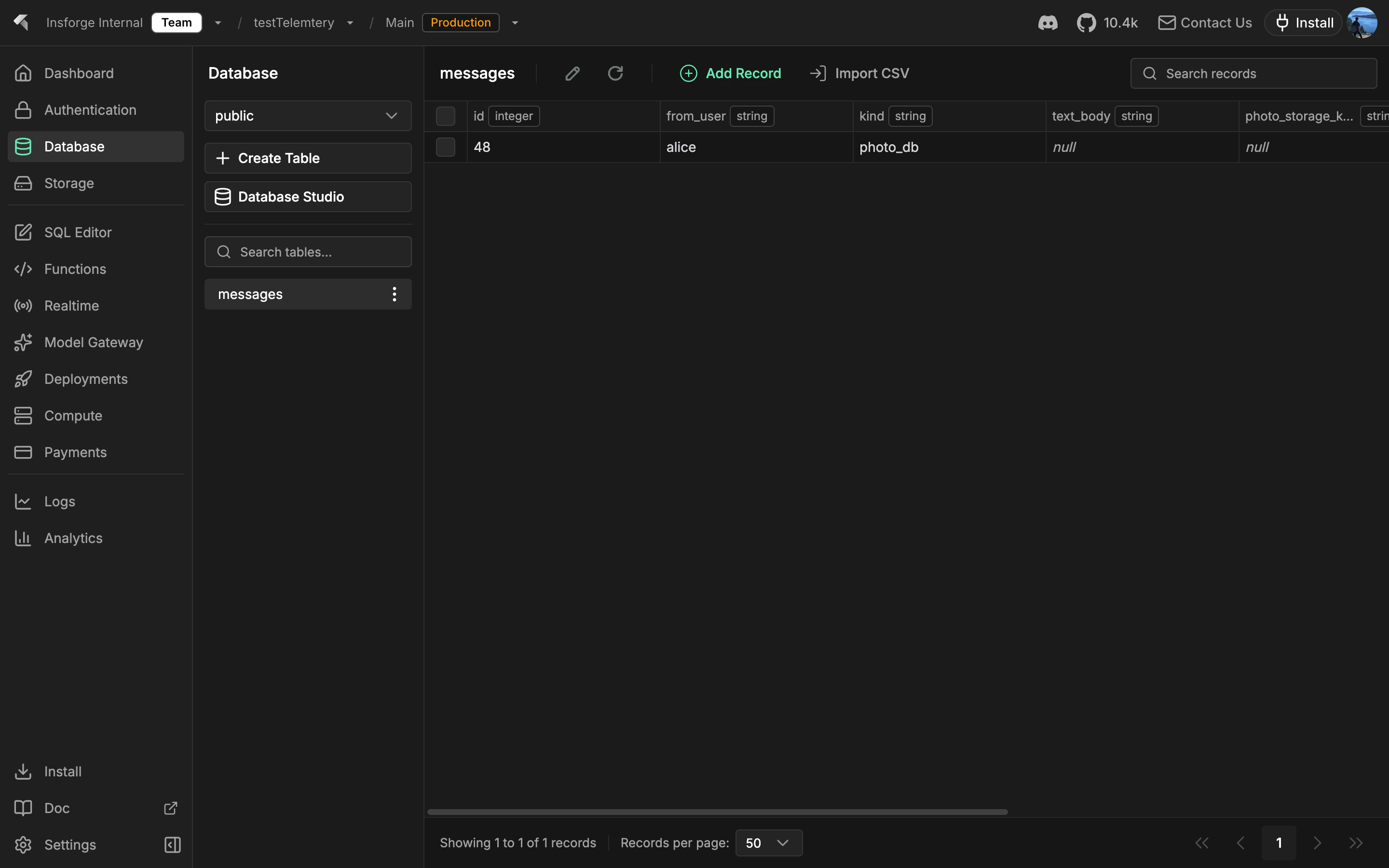
每個 InsForge 專案都配備一個完整的 [Postgres](https://www.postgresql.org/) 資料庫。每個資料表自動成為類型化的 REST 和 SDK 端點。驗證令牌透過列級安全範圍化每個讀寫。相同的 Postgres 處理關聯式查詢、透過 pgvector 的語義搜尋和即時變更源。
 **在尋找檔案儲存?** 使用 [Storage](/core-concepts/storage/overview) 來儲存影像、PDF 和其他二進制內容。資料庫儲存列;儲存儲存物件。
```mermaid theme={null}
graph TB
Client[Client Application] --> SDK[InsForge SDK]
SDK --> API[InsForge API]
API --> PostgREST[PostgREST v12.2]
PostgREST --> PG[(PostgreSQL 15)]
API --> PG
PG --> RLS[Row Level Security]
PG --> Triggers[Database Triggers]
PG --> Functions[Stored Functions]
PG --> Schemas[Multiple Schemas]
style Client fill:#1e293b,stroke:#475569,color:#e2e8f0
style SDK fill:#1e40af,stroke:#3b82f6,color:#dbeafe
style API fill:#166534,stroke:#22c55e,color:#dcfce7
style PostgREST fill:#c2410c,stroke:#fb923c,color:#fed7aa
style PG fill:#0e7490,stroke:#06b6d4,color:#cffafe
style RLS fill:#4c1d95,stroke:#8b5cf6,color:#ede9fe
style Triggers fill:#4c1d95,stroke:#8b5cf6,color:#ede9fe
style Functions fill:#4c1d95,stroke:#8b5cf6,color:#ede9fe
style Schemas fill:#4c1d95,stroke:#8b5cf6,color:#ede9fe
```
## 功能
### 資料表作為 API
定義資料表,您立即取得 REST 端點加上類型化的 SDK 用戶端。沒有程式碼產生步驟。驗證 JWT 透過 RLS 範圍化每個查詢。
### 遷移
追蹤和應用有序的 SQL 變更。[Migrations](/core-concepts/database/migrations) 在您的存放庫中作為普通 `.sql` 檔案提供,使用 `npx @insforge/cli db migrations up --all` 或透過 MCP 工具應用。
### 分支
旋轉隔離的資料庫分支來根據生產資料副本測試風險架構變更。查看 [Branching](/agent-native/branching)。
### pgvector
用於嵌入的原生向量搜尋,具有 HNSW 和 IVFFlat 索引。查看 [pgvector](/core-concepts/database/pgvector)。
### 列級安全
Postgres RLS 原則在列級別強制執行存取。原則讀取驗證 JWT,因此相同的規則適用於 REST 查詢、SDK 呼叫、即時訂閱和儲存請求。
## 概念
安全地依次應用 SQL 變更。
用於預覽和風險變更的隔離資料庫。
用於嵌入的向量搜尋。
## 使用它進行建置
從 Node、瀏覽器和邊緣進行類型化查詢、插入和更新。
用於 iOS 和 macOS 的原生 Swift 資料庫用戶端。
用於 Android 和 JVM 的協程優先資料庫用戶端。
普通 HTTP 資料庫端點,可從任何語言呼叫。
## 下一步
* 設定 [CLI](/quickstart) 以連結您的專案(建議的路徑)。
* 瀏覽 [TypeScript SDK 參考](/sdks/typescript/database) 以瞭解類型化查詢。
**在尋找檔案儲存?** 使用 [Storage](/core-concepts/storage/overview) 來儲存影像、PDF 和其他二進制內容。資料庫儲存列;儲存儲存物件。
```mermaid theme={null}
graph TB
Client[Client Application] --> SDK[InsForge SDK]
SDK --> API[InsForge API]
API --> PostgREST[PostgREST v12.2]
PostgREST --> PG[(PostgreSQL 15)]
API --> PG
PG --> RLS[Row Level Security]
PG --> Triggers[Database Triggers]
PG --> Functions[Stored Functions]
PG --> Schemas[Multiple Schemas]
style Client fill:#1e293b,stroke:#475569,color:#e2e8f0
style SDK fill:#1e40af,stroke:#3b82f6,color:#dbeafe
style API fill:#166534,stroke:#22c55e,color:#dcfce7
style PostgREST fill:#c2410c,stroke:#fb923c,color:#fed7aa
style PG fill:#0e7490,stroke:#06b6d4,color:#cffafe
style RLS fill:#4c1d95,stroke:#8b5cf6,color:#ede9fe
style Triggers fill:#4c1d95,stroke:#8b5cf6,color:#ede9fe
style Functions fill:#4c1d95,stroke:#8b5cf6,color:#ede9fe
style Schemas fill:#4c1d95,stroke:#8b5cf6,color:#ede9fe
```
## 功能
### 資料表作為 API
定義資料表,您立即取得 REST 端點加上類型化的 SDK 用戶端。沒有程式碼產生步驟。驗證 JWT 透過 RLS 範圍化每個查詢。
### 遷移
追蹤和應用有序的 SQL 變更。[Migrations](/core-concepts/database/migrations) 在您的存放庫中作為普通 `.sql` 檔案提供,使用 `npx @insforge/cli db migrations up --all` 或透過 MCP 工具應用。
### 分支
旋轉隔離的資料庫分支來根據生產資料副本測試風險架構變更。查看 [Branching](/agent-native/branching)。
### pgvector
用於嵌入的原生向量搜尋,具有 HNSW 和 IVFFlat 索引。查看 [pgvector](/core-concepts/database/pgvector)。
### 列級安全
Postgres RLS 原則在列級別強制執行存取。原則讀取驗證 JWT,因此相同的規則適用於 REST 查詢、SDK 呼叫、即時訂閱和儲存請求。
## 概念
安全地依次應用 SQL 變更。
用於預覽和風險變更的隔離資料庫。
用於嵌入的向量搜尋。
## 使用它進行建置
從 Node、瀏覽器和邊緣進行類型化查詢、插入和更新。
用於 iOS 和 macOS 的原生 Swift 資料庫用戶端。
用於 Android 和 JVM 的協程優先資料庫用戶端。
普通 HTTP 資料庫端點,可從任何語言呼叫。
## 下一步
* 設定 [CLI](/quickstart) 以連結您的專案(建議的路徑)。
* 瀏覽 [TypeScript SDK 參考](/sdks/typescript/database) 以瞭解類型化查詢。