> ## Documentation Index
> Fetch the complete documentation index at: https://docs.insforge.dev/llms.txt
> Use this file to discover all available pages before exploring further.
# 即時
> 透過即時頻道傳送資料庫變更、廣播、線上狀態(presence)與 webhook 分發。
當你的應用程式需要在不重新整理頁面的情況下更新時,可以使用 InsForge Realtime。用戶端訂閱像 `order:123` 或 `chat:room-1` 這樣的頻道,然後透過 WebSocket 接收資料庫變更、廣播與線上狀態更新。當另一個服務需要接收事件時,頻道也可以將相同的訊息分發到 webhook URL。
 **需要在資料庫變更後執行伺服器端程式碼?** 把那段商業邏輯放進 [Edge Function](/core-concepts/functions/overview),並從資料庫觸發器呼叫它。當變更需要傳遞給已連接的用戶端或已設定的 webhook 端點時,請使用 Realtime。
```mermaid theme={null}
graph TB
App[Client application] --> SDK[InsForge SDK]
SDK --> Channel[Realtime channel]
Database[(Postgres)] --> Trigger[Database trigger]
Trigger --> Channel
Channel --> WebSocket[WebSocket subscribers]
Channel --> Presence[Presence state]
Channel --> Webhook[Webhook URLs]
Channel --> History[(Message history)]
Auth[Auth token and RLS] --> Channel
style App fill:#1e293b,stroke:#475569,color:#e2e8f0
style SDK fill:#1e40af,stroke:#3b82f6,color:#dbeafe
style Channel fill:#166534,stroke:#22c55e,color:#dcfce7
style Database fill:#0e7490,stroke:#06b6d4,color:#cffafe
style Trigger fill:#4c1d95,stroke:#8b5cf6,color:#ede9fe
style WebSocket fill:#c2410c,stroke:#fb923c,color:#fed7aa
style Presence fill:#c2410c,stroke:#fb923c,color:#fed7aa
style Webhook fill:#c2410c,stroke:#fb923c,color:#fed7aa
style History fill:#0e7490,stroke:#06b6d4,color:#cffafe
style Auth fill:#4c1d95,stroke:#8b5cf6,color:#ede9fe
```
## 功能
### 頻道
頻道是用戶端可以加入的具名主題。共用房間請使用精確名稱,若每筆記錄都需要自己的即時串流,可使用像 `order:%` 這樣的模式。
### 資料庫變更
當一次資料表寫入應變成應用程式的即時事件時,請使用資料庫變更功能。在你要監看的資料表上建立一個觸發器。在其觸發器函式中,呼叫預先定義的 `realtime.publish(channel, event, payload)` 函式,以決定哪個頻道接收訊息、用戶端要處理哪個事件名稱,以及它們會收到什麼酬載(payload)。
對於像 `order:%` 這樣的頻道模式,觸發器可以為每筆訂單發佈一個事件:
```sql theme={null}
CREATE OR REPLACE FUNCTION public.notify_order_status()
RETURNS TRIGGER AS $$
BEGIN
PERFORM realtime.publish(
'order:' || NEW.id::text,
'status_changed',
jsonb_build_object(
'id', NEW.id,
'status', NEW.status,
'updatedAt', NEW.updated_at
)
);
RETURN NEW;
END;
$$ LANGUAGE plpgsql SECURITY DEFINER;
CREATE TRIGGER order_status_realtime
AFTER UPDATE OF status ON public.orders
FOR EACH ROW
WHEN (OLD.status IS DISTINCT FROM NEW.status)
EXECUTE FUNCTION public.notify_order_status();
```
然後從應用程式端透過 SDK 訂閱:
```typescript theme={null}
const channel = `order:${orderId}`;
await insforge.realtime.connect();
const subscription = await insforge.realtime.subscribe(channel);
if (!subscription.ok) {
throw new Error(subscription.error.message);
}
insforge.realtime.on('status_changed', (message) => {
renderOrderStatus(message.status);
});
```
### 用戶端廣播
用戶端可以向已經加入的頻道發佈訊息。可用於聊天、輸入中提示、游標、協作編輯訊號,以及其他不需要從資料庫寫入開始的使用者對使用者更新。
```typescript theme={null}
await insforge.realtime.publish(`chat:${roomId}`, 'typing', {
userId,
isTyping: true
});
```
### Webhook
當另一個服務需要接收每則訊息時,可以為頻道附加 webhook URL。InsForge 會把事件酬載發佈到每個已設定的 URL,附上包含事件名稱、頻道與訊息 ID 的標頭,重試暫時性的網路失敗,並在訊息歷史中記錄 webhook 傳送次數。
### 線上狀態(Presence)
線上狀態(Presence)用來追蹤誰在頻道中上線。用戶端在訂閱時會收到目前的成員快照,之後會在成員上線或離線時收到 `presence:join` 與 `presence:leave` 事件。請把持久化的房間成員關係、角色與權限存放在你自己的資料表中;線上狀態只提供上線狀態。
```typescript theme={null}
const response = await insforge.realtime.subscribe(`chat:${roomId}`);
if (response.ok) {
renderOnlineMembers(response.presence.members);
}
insforge.realtime.on('presence:join', (message) => {
addOnlineMember(message.member);
});
insforge.realtime.on('presence:leave', (message) => {
removeOnlineMember(message.member.presenceId);
});
```
### 資料列層級安全性
即時功能在原型開發階段可以保持開放,之後再用 Postgres RLS 鎖定。使用 `realtime.channels` 上的 `SELECT` 政策來控制誰可以訂閱,使用 `realtime.messages` 上的 `INSERT` 政策來控制誰可以從用戶端發佈。
以下政策只允許已驗證的使用者在訂單屬於自己時,訂閱 `order:` 頻道:
```sql theme={null}
ALTER TABLE realtime.channels ENABLE ROW LEVEL SECURITY;
CREATE POLICY "users_subscribe_own_orders"
ON realtime.channels
FOR SELECT
TO authenticated
USING (
pattern = 'order:%'
AND EXISTS (
SELECT 1
FROM public.orders
WHERE id = NULLIF(split_part(realtime.channel_name(), ':', 2), '')::uuid
AND user_id = auth.uid()
)
);
```
請在訂閱政策中使用 `realtime.channel_name()`,因為用戶端訂閱的是已解析的頻道(例如 `order:123`),而 `realtime.channels` 儲存的是模式(例如 `order:%`)。
### 訊息歷史
每個已傳送的事件都會記錄 WebSocket 與 webhook 的傳送次數。當你需要偵錯即時行為時,控制台可以查看最近的訊息、傳送統計資料與保留設定。
## 開始建置
從 Node、瀏覽器與邊緣環境訂閱頻道、發佈事件並追蹤線上狀態。
適用於 iOS 與 macOS 的原生 Swift 即時用戶端。
以協程為優先、適用於 Android 與 JVM 的即時用戶端。
從任何語言使用原始的 Socket.IO 合約。
## 後續步驟
* 設定 [CLI](/quickstart) 以連結你的專案。
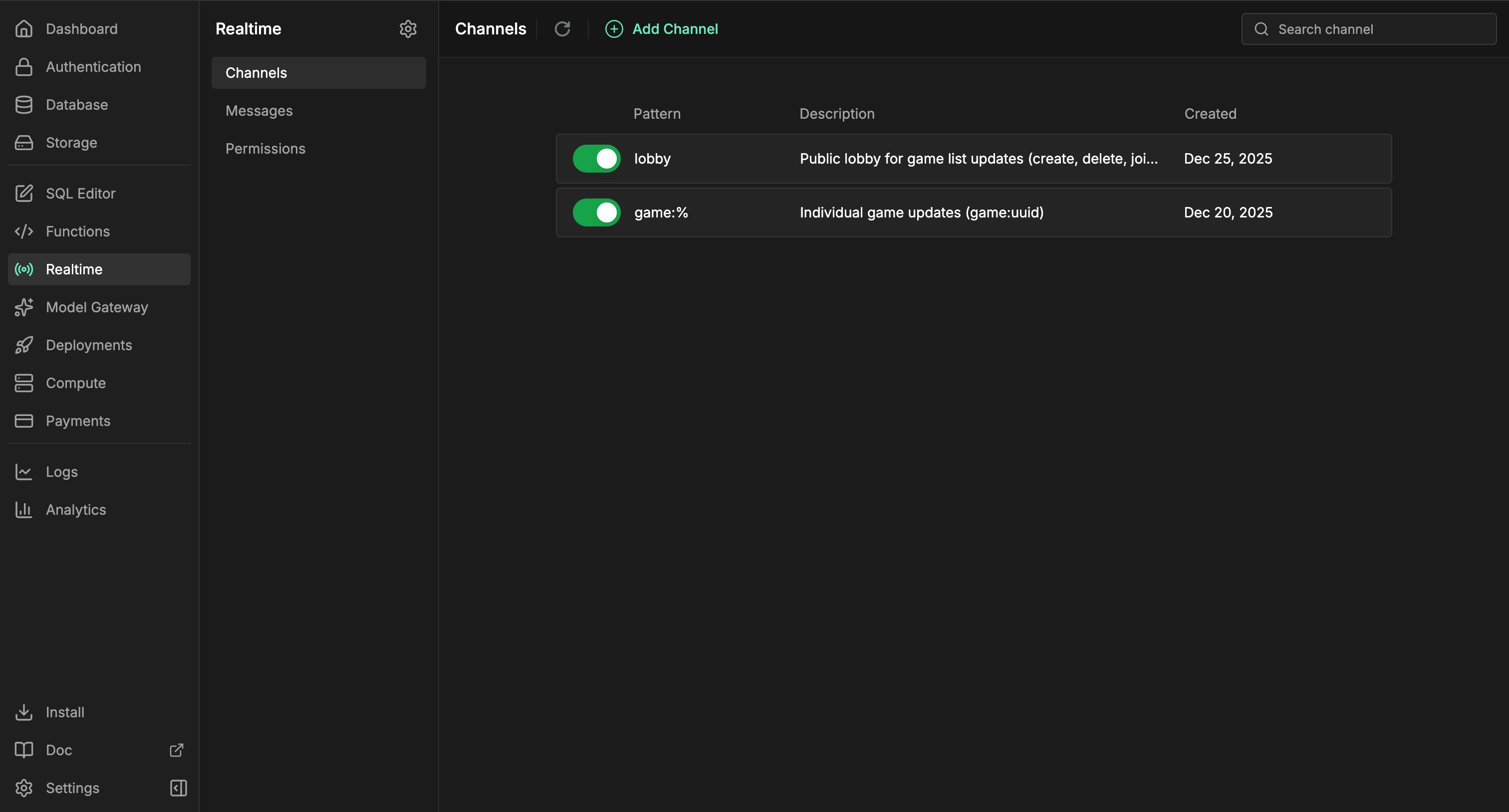
* 在即時控制台中建立頻道。
* 使用 [TypeScript SDK 參考文件](/sdks/typescript/realtime) 了解用戶端訂閱。
* 當另一個服務需要相同的事件串流時,為頻道新增 webhook URL。
**需要在資料庫變更後執行伺服器端程式碼?** 把那段商業邏輯放進 [Edge Function](/core-concepts/functions/overview),並從資料庫觸發器呼叫它。當變更需要傳遞給已連接的用戶端或已設定的 webhook 端點時,請使用 Realtime。
```mermaid theme={null}
graph TB
App[Client application] --> SDK[InsForge SDK]
SDK --> Channel[Realtime channel]
Database[(Postgres)] --> Trigger[Database trigger]
Trigger --> Channel
Channel --> WebSocket[WebSocket subscribers]
Channel --> Presence[Presence state]
Channel --> Webhook[Webhook URLs]
Channel --> History[(Message history)]
Auth[Auth token and RLS] --> Channel
style App fill:#1e293b,stroke:#475569,color:#e2e8f0
style SDK fill:#1e40af,stroke:#3b82f6,color:#dbeafe
style Channel fill:#166534,stroke:#22c55e,color:#dcfce7
style Database fill:#0e7490,stroke:#06b6d4,color:#cffafe
style Trigger fill:#4c1d95,stroke:#8b5cf6,color:#ede9fe
style WebSocket fill:#c2410c,stroke:#fb923c,color:#fed7aa
style Presence fill:#c2410c,stroke:#fb923c,color:#fed7aa
style Webhook fill:#c2410c,stroke:#fb923c,color:#fed7aa
style History fill:#0e7490,stroke:#06b6d4,color:#cffafe
style Auth fill:#4c1d95,stroke:#8b5cf6,color:#ede9fe
```
## 功能
### 頻道
頻道是用戶端可以加入的具名主題。共用房間請使用精確名稱,若每筆記錄都需要自己的即時串流,可使用像 `order:%` 這樣的模式。
### 資料庫變更
當一次資料表寫入應變成應用程式的即時事件時,請使用資料庫變更功能。在你要監看的資料表上建立一個觸發器。在其觸發器函式中,呼叫預先定義的 `realtime.publish(channel, event, payload)` 函式,以決定哪個頻道接收訊息、用戶端要處理哪個事件名稱,以及它們會收到什麼酬載(payload)。
對於像 `order:%` 這樣的頻道模式,觸發器可以為每筆訂單發佈一個事件:
```sql theme={null}
CREATE OR REPLACE FUNCTION public.notify_order_status()
RETURNS TRIGGER AS $$
BEGIN
PERFORM realtime.publish(
'order:' || NEW.id::text,
'status_changed',
jsonb_build_object(
'id', NEW.id,
'status', NEW.status,
'updatedAt', NEW.updated_at
)
);
RETURN NEW;
END;
$$ LANGUAGE plpgsql SECURITY DEFINER;
CREATE TRIGGER order_status_realtime
AFTER UPDATE OF status ON public.orders
FOR EACH ROW
WHEN (OLD.status IS DISTINCT FROM NEW.status)
EXECUTE FUNCTION public.notify_order_status();
```
然後從應用程式端透過 SDK 訂閱:
```typescript theme={null}
const channel = `order:${orderId}`;
await insforge.realtime.connect();
const subscription = await insforge.realtime.subscribe(channel);
if (!subscription.ok) {
throw new Error(subscription.error.message);
}
insforge.realtime.on('status_changed', (message) => {
renderOrderStatus(message.status);
});
```
### 用戶端廣播
用戶端可以向已經加入的頻道發佈訊息。可用於聊天、輸入中提示、游標、協作編輯訊號,以及其他不需要從資料庫寫入開始的使用者對使用者更新。
```typescript theme={null}
await insforge.realtime.publish(`chat:${roomId}`, 'typing', {
userId,
isTyping: true
});
```
### Webhook
當另一個服務需要接收每則訊息時,可以為頻道附加 webhook URL。InsForge 會把事件酬載發佈到每個已設定的 URL,附上包含事件名稱、頻道與訊息 ID 的標頭,重試暫時性的網路失敗,並在訊息歷史中記錄 webhook 傳送次數。
### 線上狀態(Presence)
線上狀態(Presence)用來追蹤誰在頻道中上線。用戶端在訂閱時會收到目前的成員快照,之後會在成員上線或離線時收到 `presence:join` 與 `presence:leave` 事件。請把持久化的房間成員關係、角色與權限存放在你自己的資料表中;線上狀態只提供上線狀態。
```typescript theme={null}
const response = await insforge.realtime.subscribe(`chat:${roomId}`);
if (response.ok) {
renderOnlineMembers(response.presence.members);
}
insforge.realtime.on('presence:join', (message) => {
addOnlineMember(message.member);
});
insforge.realtime.on('presence:leave', (message) => {
removeOnlineMember(message.member.presenceId);
});
```
### 資料列層級安全性
即時功能在原型開發階段可以保持開放,之後再用 Postgres RLS 鎖定。使用 `realtime.channels` 上的 `SELECT` 政策來控制誰可以訂閱,使用 `realtime.messages` 上的 `INSERT` 政策來控制誰可以從用戶端發佈。
以下政策只允許已驗證的使用者在訂單屬於自己時,訂閱 `order:` 頻道:
```sql theme={null}
ALTER TABLE realtime.channels ENABLE ROW LEVEL SECURITY;
CREATE POLICY "users_subscribe_own_orders"
ON realtime.channels
FOR SELECT
TO authenticated
USING (
pattern = 'order:%'
AND EXISTS (
SELECT 1
FROM public.orders
WHERE id = NULLIF(split_part(realtime.channel_name(), ':', 2), '')::uuid
AND user_id = auth.uid()
)
);
```
請在訂閱政策中使用 `realtime.channel_name()`,因為用戶端訂閱的是已解析的頻道(例如 `order:123`),而 `realtime.channels` 儲存的是模式(例如 `order:%`)。
### 訊息歷史
每個已傳送的事件都會記錄 WebSocket 與 webhook 的傳送次數。當你需要偵錯即時行為時,控制台可以查看最近的訊息、傳送統計資料與保留設定。
## 開始建置
從 Node、瀏覽器與邊緣環境訂閱頻道、發佈事件並追蹤線上狀態。
適用於 iOS 與 macOS 的原生 Swift 即時用戶端。
以協程為優先、適用於 Android 與 JVM 的即時用戶端。
從任何語言使用原始的 Socket.IO 合約。
## 後續步驟
* 設定 [CLI](/quickstart) 以連結你的專案。
* 在即時控制台中建立頻道。
* 使用 [TypeScript SDK 參考文件](/sdks/typescript/realtime) 了解用戶端訂閱。
* 當另一個服務需要相同的事件串流時,為頻道新增 webhook URL。