Use InsForge Payments to add checkout, subscriptions, and billing management to your app with your own Stripe account. InsForge keeps Stripe secret keys server-side, creates Stripe-hosted Checkout and Billing Portal sessions from the SDK, and syncs payment state back to your project after Stripe events arrive. Connect Stripe once in the dashboard or CLI. From there, your app can sell one-time products, start subscriptions, let customers manage billing, and run custom fulfillment logic from synced payment state.
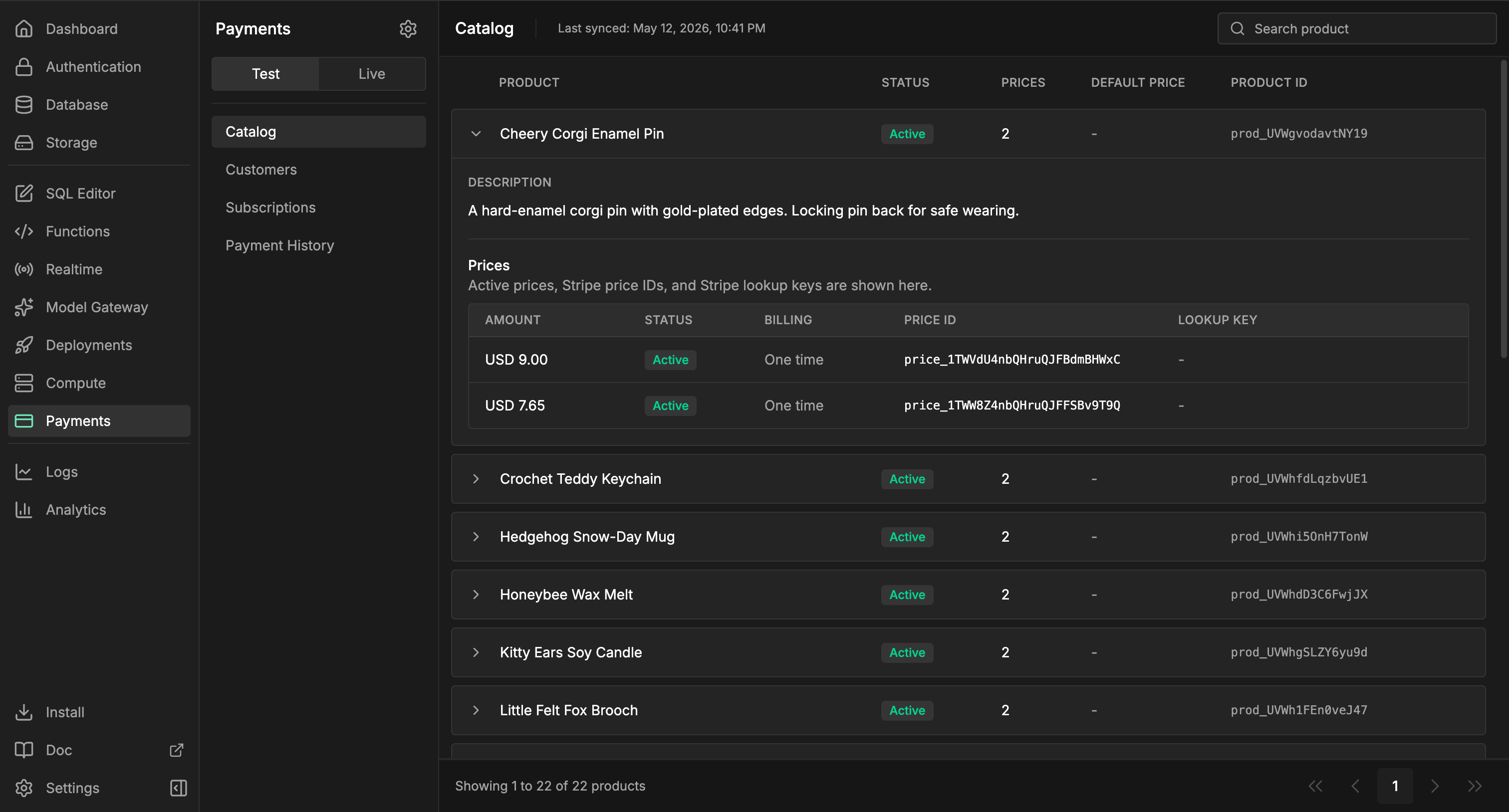
InsForge Payments dashboard
Stripe remains the source of truth for charges, invoices, refunds, disputes, taxes, and account-level financial operations. InsForge is not a payment processor or merchant of record, and it does not replace Stripe Dashboard.

Features

Stripe connection

Configure test and live Stripe secret keys from the dashboard, CLI, or admin API. InsForge validates the key, stores it in the secret store, creates a managed webhook when your backend is reachable, and runs the initial sync after setup.
npx @insforge/cli payments status
npx @insforge/cli payments config set test sk_test_xxx

Catalog and prices

Products and prices sync from Stripe so your dashboard and app can reason about the catalog without making every request call Stripe. You can manage catalog objects in Stripe, the dashboard, or admin CLI/API flows. Product and price mutations call Stripe first, then sync the result into InsForge.
npx @insforge/cli payments sync --environment test

npx @insforge/cli payments products create \
  --environment test \
  --name "Pro Plan"

npx @insforge/cli payments prices create \
  --environment test \
  --product prod_123 \
  --currency usd \
  --unit-amount 1900 \
  --interval month

Checkout Sessions

Create one-time payment or subscription Checkout Sessions from the TypeScript SDK. Your frontend receives a Stripe-hosted URL and redirects the user to complete payment.
const { data, error } = await insforge.payments.createCheckoutSession({
  environment: 'test',
  mode: 'subscription',
  subject: { type: 'team', id: teamId },
  lineItems: [{ stripePriceId: 'price_monthly_123', quantity: 1 }],
  successUrl: `${window.location.origin}/billing/success`,
  cancelUrl: `${window.location.origin}/billing`,
  customerEmail: user.email,
  idempotencyKey: `team:${teamId}:pro-monthly`
});

if (error) throw error;
if (data?.checkoutSession.url) {
  window.location.assign(data.checkoutSession.url);
}
Checkout inserts a row in payments.checkout_sessions using the caller’s InsForge token. Add RLS policies so users can only create Checkout Sessions for subjects they are allowed to bill, such as their own user, team, workspace, or organization. If your app uses idempotency keys, retries also need a matching SELECT policy for the same subject.

Billing Portal

Create Billing Portal sessions for existing customers so users can update payment methods, review invoices, change plans, or cancel subscriptions through Stripe-hosted UI.
const { data, error } = await insforge.payments.createCustomerPortalSession({
  environment: 'test',
  subject: { type: 'team', id: teamId },
  returnUrl: `${window.location.origin}/billing`
});

if (error) throw error;
if (data?.customerPortalSession.url) {
  window.location.assign(data.customerPortalSession.url);
}
Billing Portal inserts a row in payments.customer_portal_sessions. It requires an authenticated user and an existing Stripe customer mapping for the subject. Protect portal creation with RLS or a server-side membership check so users cannot open billing settings for a team or organization they do not manage.

Managed webhooks

After a Stripe key is connected, InsForge automatically tries to create the managed Stripe webhook endpoint for that environment. Incoming Stripe events for checkout, invoices, payment intents, refunds, customers, and subscriptions are verified, processed, and recorded automatically.

Payment projections

Synced payment state gives your app structured records for checkout sessions, customer mappings, customers, subscriptions, payment history, refunds, and webhook delivery. Use those rows as operational inputs for dashboards, automation, and fulfillment, not as your public end-user billing API.

Fulfillment model

Do not fulfill from the Checkout success URL alone. Use the subject field to identify the app-owned billing owner, such as { type: 'team', id: teamId }. InsForge copies that subject into Stripe metadata and synced payment state, so your business logic can connect Stripe events back to your app tables. For durable fulfillment, attach triggers to payment state changes and update tables in public, such as public.orders, public.credit_ledger, or public.team_entitlements. Keep the trigger function idempotent, and protect the public tables with your own RLS policies.
CREATE TRIGGER sync_team_entitlement_from_subscription
  AFTER INSERT OR UPDATE ON payments.subscriptions
  FOR EACH ROW
  EXECUTE FUNCTION public.sync_team_entitlement();

Platform boundaries

InsForge provides secure session creation, secret storage, managed webhook handling, synced payment state, and dashboard/CLI visibility for your Stripe integration. InsForge does not handle money movement. Stripe still owns account operations, including charges, refunds, disputes, invoices, taxes, and compliance workflows. InsForge does not provide platform-owned merchant accounts, Stripe Connect account setup, or automatic entitlement logic. Model fulfillment in your own tables and policies so billing state stays explicit in your app.

Build with it

TypeScript SDK

Create Checkout and Billing Portal sessions from your app.

REST patterns

Use REST client setup patterns for admin tooling and non-TypeScript clients.

Next steps

  • Set up the CLI and connect your project.
  • Configure Stripe keys in Dashboard -> Payments -> Settings or with npx @insforge/cli payments config set test sk_test_xxx.
  • Add RLS policies for Checkout and Billing Portal session creation.
  • Use the TypeScript SDK reference to create Checkout and Billing Portal sessions.
  • Add trigger-backed fulfillment tables that map payment events to your product access model.