

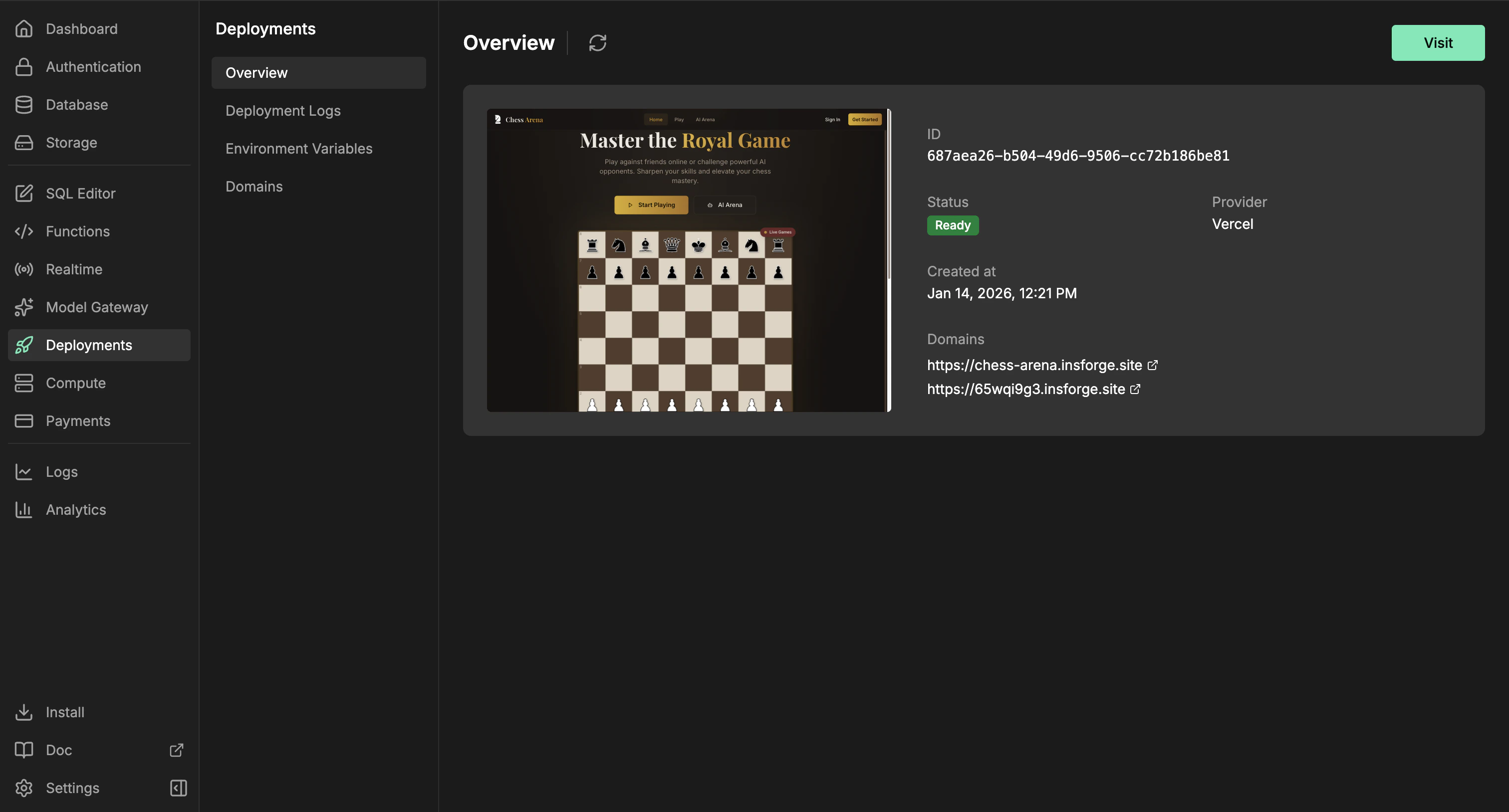
Sites dashboard: status, domains, env vars, and deployment history.
Need to deploy a container or backend service? Use Compute for workers, queues, WebSocket servers, and long-running services. Sites are for frontend websites and framework builds that produce a hosted web app.
Features
CLI deploys
Deploy from your app’s source directory. The CLI uploads the source tree, skips local-only files such asnode_modules, .git, build output, and .env files, then starts the Vercel build through InsForge.
Framework builds
Deploy React, Vue, Svelte, Next.js, static sites, and other frontend projects. InsForge sends the source files to Vercel, where framework detection and project files such aspackage.json and vercel.json decide how the app builds.
Function regions
Server-side code such as Next.js API routes and server-rendered pages runs in the Vercel project’s default region, which isiad1 (Washington, D.C.) unless it has been changed. Put your functions near your users or your database by listing region IDs in vercel.json:
Environment variables
Manage provider environment variables from the dashboard. Use public prefixes such asVITE_ or NEXT_PUBLIC_ only for values that are safe to expose in browser code.
Deployment history
Review previous runs, sync Vercel status, inspect metadata, and cancel in-progress deployments from the Deployment Logs page.Domains
Every ready deployment gets a default URL athttps://<appkey>.insforge.site. You can also set an InsForge-managed slug at https://<slug>.insforge.site. For a custom domain, add the domain in the dashboard and configure the DNS record it returns, usually a CNAME for subdomains.
Deploy with it
CLI quickstart
Connect your project and run InsForge CLI commands from your app directory.
Next steps
- Set up the CLI and connect your project.
- Add browser-safe environment variables from the dashboard or with
npx @insforge/cli deployments env set. - Run
npx @insforge/cli deployments deploy ./frontend.